Built for independent insurance agencies

OneagencyOS

One system. Every agency workflow.

Bring clients, policies, quotes, email, signatures, documents, commissions, and team workflows into one secure operating system built for the way modern agencies work.

Agency-isolated data Role-based access AI-assisted workflows
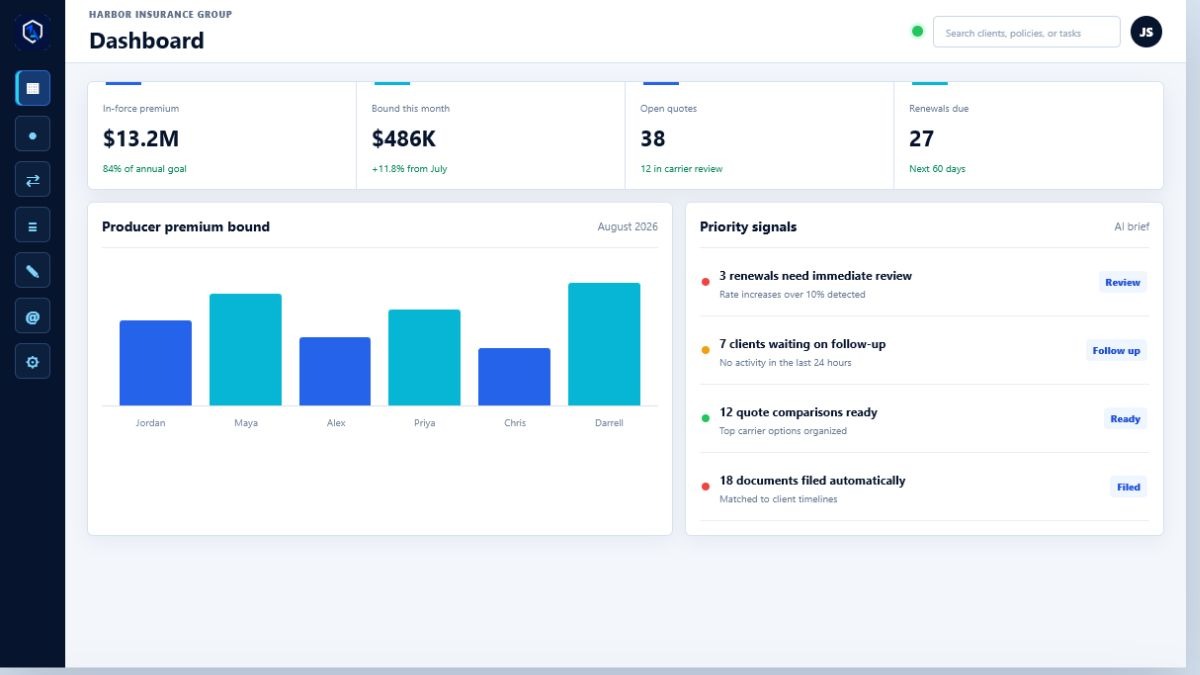
Agency workspaceGood morning, Jordan
Connected
In-force premium$13.2M84% of goal
Bound this month$486K+11.8%
Open quotes3812 in review
Renewals due27Next 60 days
Agency performanceLast 6 months
FebMarAprMayJunJul
AI prioritiesToday
3 renewals need reviewPremium increase detected
Quote comparison readyTop 3 carriers organized
6 documents filedMatched to client records
Live workflowUpdated just now
MAMichael AndersonHome quote moved to carrier reviewReview
SLSarah LewisClosing documents added to timelineFiled
Built for Agency Owners Managers Producers CSRs

Inside the workspace

Clear signals for every part of the agency.

One focused operating surface for production, client service, and the work that needs attention now.

Features

Your agency is already a system. Now it can work like one.

OneagencyOS connects the daily work that usually lives across separate inboxes, spreadsheets, carrier portals, folders, and follow-up lists.

01

Client intelligence

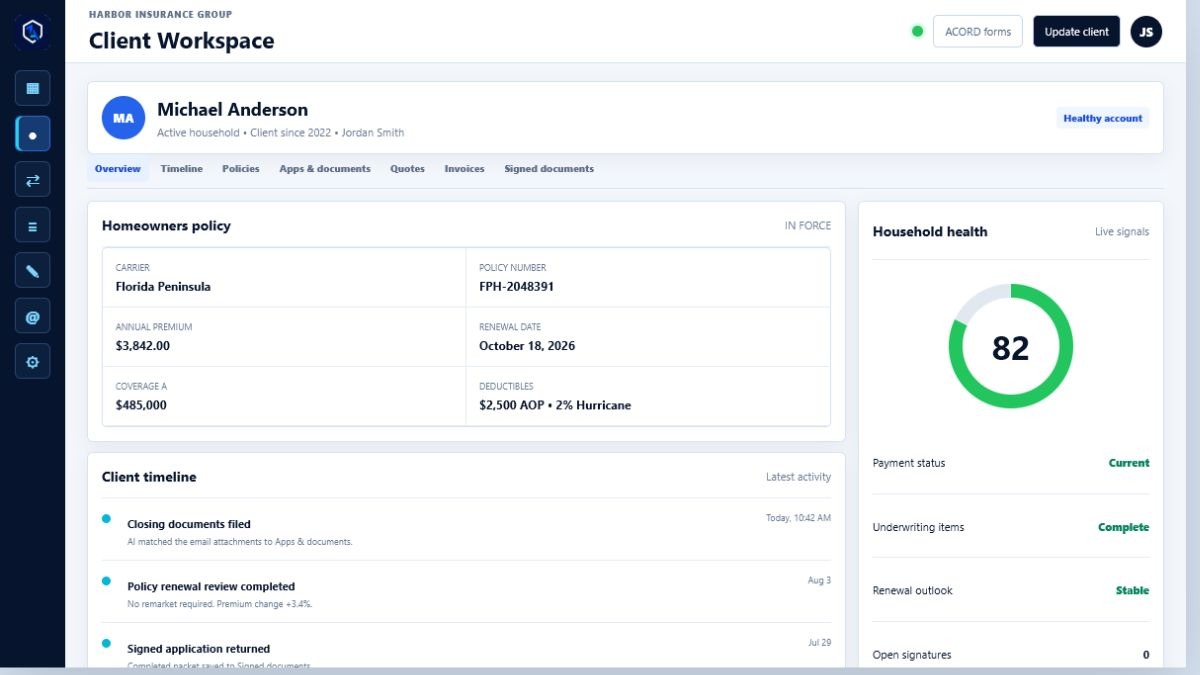
Keep household, policy, timeline, email, call, document, billing, and account-health information together in one client file.

02

Quote and renewal workflows

Move new business and renewals through clear stages, assign ownership, and keep every follow-up visible.

03

OneagencyOS Sign

Prepare signature packets, place signature and initial fields, track outstanding signatures, and return completed forms to the client file.

04

Agency knowledge

Turn approved procedures, carrier guidelines, sales material, and agency documents into answers your team can use inside the workday.

05

Connected communication

Work from connected Outlook or Gmail inboxes, preserve client conversations, and use AI to prioritize messages and suggest next steps.

06

Secure agency operations

Give each agency an isolated workspace with role-based access for owners, managers, producers, CSRs, and authorized support.

For your team

A focused workspace for every role.

Agency ownersSee agency performance, control access, manage commissions, and keep operations accountable.
ManagersBalance workloads, monitor workflows, coach the team, and catch service risks before they grow.
ProducersMove from intake to quote comparison, client presentation, signature, and bound policy with less re-entry.
CSRsSee the client story, outstanding documents, communications, renewals, and next action in one place.
OneagencyOS icon

One operating layer

Shared context. Clear ownership. Better client service.
Client workTeam workflowsAI assistanceAgency controls

From intake to renewal

Keep the full policy lifecycle moving.

1Capture

Start with a lead, application, email, or document.

2Organize

Place the right information in the right client and policy record.

3Act

Guide quotes, signatures, tasks, documents, and follow-up.

4Retain

Monitor client health, renewals, and agency opportunities.

See it in action

Build a calmer, more connected agency.

Tell us a little about your agency and we will show you how OneagencyOS can support your team and current workflows.

hello@oneagencyos.com Tampa, Florida

Request a Demo

OneagencyOS workspace

Dashboard

Agencies0
Active Agencies0
Demo Follow-Ups0
Membership Revenue$0

Internal Brief

OneagencyOS employee workspace

Recent Agencies

Latest onboarded clients

Agency Lookup

Search active and inactive agencies

Onboard Agency

Agency ID 100

The logo will appear above Dashboard in the agency workspace.

Agency logo preview

Create Your Password

Required on first sign in

Replace the temporary password before entering your agency workspace.

Reset Password

Secure email verification

Operations Monitoring

Production health, incidents, delivery, AI cost, and recovery evidence
CheckStatusLatencyChecked
Last SeenSeveritySourceOperationMessageCount
Last SeenTypeProviderOperationStatusMessage
TimeOperationModelTokensEstimated Cost
AgencyUserRoleScreenStatusLast Seen
CompletedStatusTypeRowsChecksumEvidence

Open recovery runbook

Carrier API Library

Employee-managed carrier portals, downloads, and API settings
Encrypted Login Vault

Carrier credentials are encrypted in the agency cloud vault and are available only to authorized signed-in users.

Connected Carrier APIs

Florida Carrier Directory

Home, auto, and flood reference links for employee setup

Reference directory only. Confirm Florida licensing, appointment, appetite, and commission terms before use.

Carrier Portal Workflows

Define each carrier website path once for every agency
Live Chrome Workflow MapperMaps the real carrier website through the installed Live Bridge extension, including carrier-owned popup tabs.
Select a carrier and launch the recorder.

Workflow Step Editor

Fix, delete, or reorder one mapped step without remapping the full carrier site.

Managed Workflows

Demo Follow-Up Tasks

Accounts that need employee action

Membership Billing

Stripe subscriptions linked directly to active agency records
OneagencyOS
OneagencyOS Membership Payment Secure Stripe subscription checkout

Signature Launcher

Native signature packets for agency agreements
No signing fields placed.

Agreements Missing a File

Attach the agreement before sending

Signed Documents

Returned employee agreements

All Signature Packets

Draft, sent, viewed, and completed
Clients
Open Bridge
Due Soon
Estimated Commission

Premium Bound

Rolling agency production

Household Health

Click a status to review its policies

AI Brief

Generated from workspace data

Ask Agency AI

Answers grounded in this agency's approved manuals and operating knowledge


Add Client

Personal lines account details
Application Intake

Upload a completed insurance application to pre-fill this client record.

Estimated Commission $0
Client Billing

Issue agency-fee invoices and track client payment status.

Client Portal Access

Create read-only access for this insured after the client file is saved.

Agency Notes

Front-of-file notes for internal agency follow-up, client preferences, and next actions.

Coverage A-F
Auto Coverage & Options
Renters Coverage
Condo Coverage
Umbrella Coverage & Exposures
Flood Coverage
Outstanding Carrier Documents

Created automatically when an uploaded application mentions documents the carrier still needs.

Client Signatures

OneagencyOS-native signature packets tied to this client file. Open signatures create task follow-ups automatically.

New Quote Intake

Bridge home and auto opportunities to assisted carrier portals
Re-bridge an Existing Client

Load a saved client file to refresh quotes without creating a duplicate client.

Select Carrier Portals

Choose only the carriers you want this quote sent to. Windward Risk Managers is selected automatically when your login is saved.

Quote Execution Checking Live Bridge extension...
Live Browser
Install Extension

Owner occupancy can be quoted through the agency's available homeowners products.

AI Property Appraiser Bot

Uses the property address to prepare county property details for the carrier forms.

Coverage Selection

These values are carried into the AI carrier bridge exactly as entered.

Carrier Bridge

Create the client folder and send this home quote through the assisted carrier portal worker.

Carrier Bridge

Create the client folder and send this auto quote through the assisted carrier portal worker.

Returned Quote Comparison

Lowest premiums ready for agent review

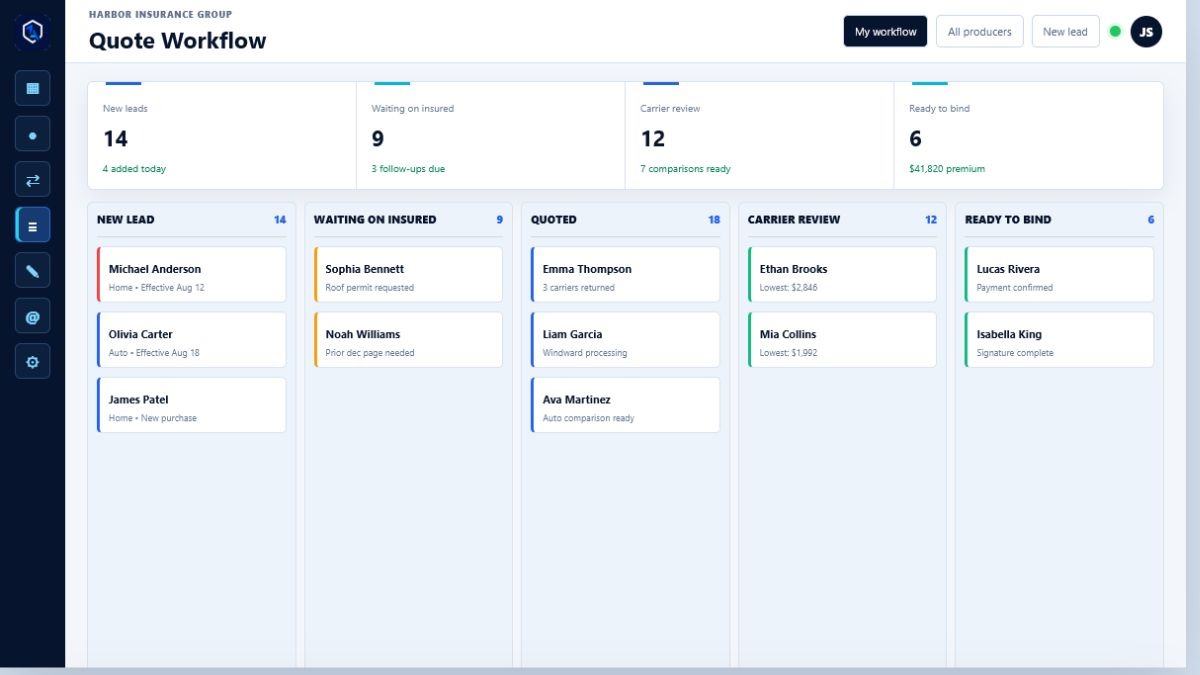
Quote Workflow

Quote workflow is tied to Bridge and carrier review.

Workflow Client Snapshot

Client cards and operational context

New Signature Packet

Applications and agency forms
Agency DisclosuresSelect disclosures to add to this packet.
Signature Locations Tell the client exactly where to sign, initial, or date.

Agreements Missing a File

Attach the application or agreement before sending

Signed Documents

Completed packets returned to the agency

Signature Queue

Book Snapshot

Personal lines premium and commission

AI Underwriting Download

Schedule carrier manuals and bulletins

Underwriting Filing Cabinet

Manual refresh schedule

Agency Settings

Profile and business details

Agency Carrier Access

Producer and agency login settings used by Bridge

Carrier Access Profiles

Used by bridge submissions

Florida Carrier Directory

Select a carrier to add it to this agency's access profile

Reference directory only. Verify the agency's appointment and enter its commission rate in the access form above.

Signature Settings

Agency disclosures available for client signature packets

Upload disclosures once, then select the ones to include when creating a signature packet. They are combined with the application before it is sent.

Agency Isolation

Private agency workspace and ownership

Add/Edit Users

Team access controls

Agency Owner is the top agency role. It can manage agency settings, users, roles, billing, carrier vault access, data exports, and ownership transfer.

The Agency Owner can grant these two settings areas to an Office Manager. Producer and CSR settings access is limited to Communication and Carrier Access.

Users

MFA Settings

Sign-in security

Password Policies

Minimum password rules

User Activity Logs

Recent local events

Workflow Automation

Rules, workflows, SLAs, and escalation paths

Document Management

Categories, OCR, storage, and naming

Commission Rules

Agency defaults, incentives, schedules, and goals

Producer Agreements

New and renewal share of agency commission

Commission Overview

Calculated from carrier rates, client premium, and producer agreements

Producer Payout Summary

ProducerPremiumAgency GrossProducer PayableBonusAgency Retained

Integrations

Connected tools and platform notes

Compliance & Security

Enforced workspace security policy

Audit & Retention

Recorded with the agency workspace

Access Security

Applied to signed-in users

Open Operations & Recovery Console

Network Restrictions

Checked by the workspace API

Current connection IP will appear after cloud sync.

Downloads & Exports

Enforced across agency records

Recent Security Events

Most recent policy and access activity

Client Portal Settings

Branding, registration, sharing, and notifications
Portal Logo Shown on the insured sign-in page and inside the client portal.
Agency logo

Reporting Settings

Dashboard defaults, KPIs, targets, and schedules

User Performance

Daily policy count and written premium
DatePoliciesWritten PremiumNew BusinessRenewals

Notifications

Alerts, reminders, and routing

Communication Settings

Email, SMS, templates, and signatures

Templates & Signatures

Reusable client messages

AI Settings

Assistant behavior and controls

AI Knowledge Base Uploads

Reference files for the assistant

Refresh to view agency AI usage.

OneagencyOS RCE

Replacement Cost Estimator

Review property facts and use an agency-approved local reconstruction rate.

Verified Property Details
Automatic Coverage DefaultsB: 10% of AC: 25% of AD: 10% of AF: $2,000AOP: $2,500Wind: 2%

Exported Agency Data

Thank you

One of our team will be in contact.

OneagencyOS Sign

Place Signing Fields

Click to place a field, drag it to move, or drag a corner handle to resize.

Page 1 of 1

Click the document to place a field. Drag the box to move it and use a corner handle to resize it.